Tried OCR on an old newspaper? Compare this page
One dense 1850 newspaper page, four OCR tools: one nearly right, one fluent but wrong. See the results, then run your own page.
If you have run an old scan through a free OCR site or a chatbot, you have probably seen one of two results. Either the text comes back full of broken words, or it comes back clean and readable, and only later do you notice it doesn't match the page.
We built Presentr Analyze's text extraction to read dense, small-type pages the way they are printed. Rather than describe it, here is one hard page run through four tools, with every result checked against a human-proofread transcription. Then try a page of your own.
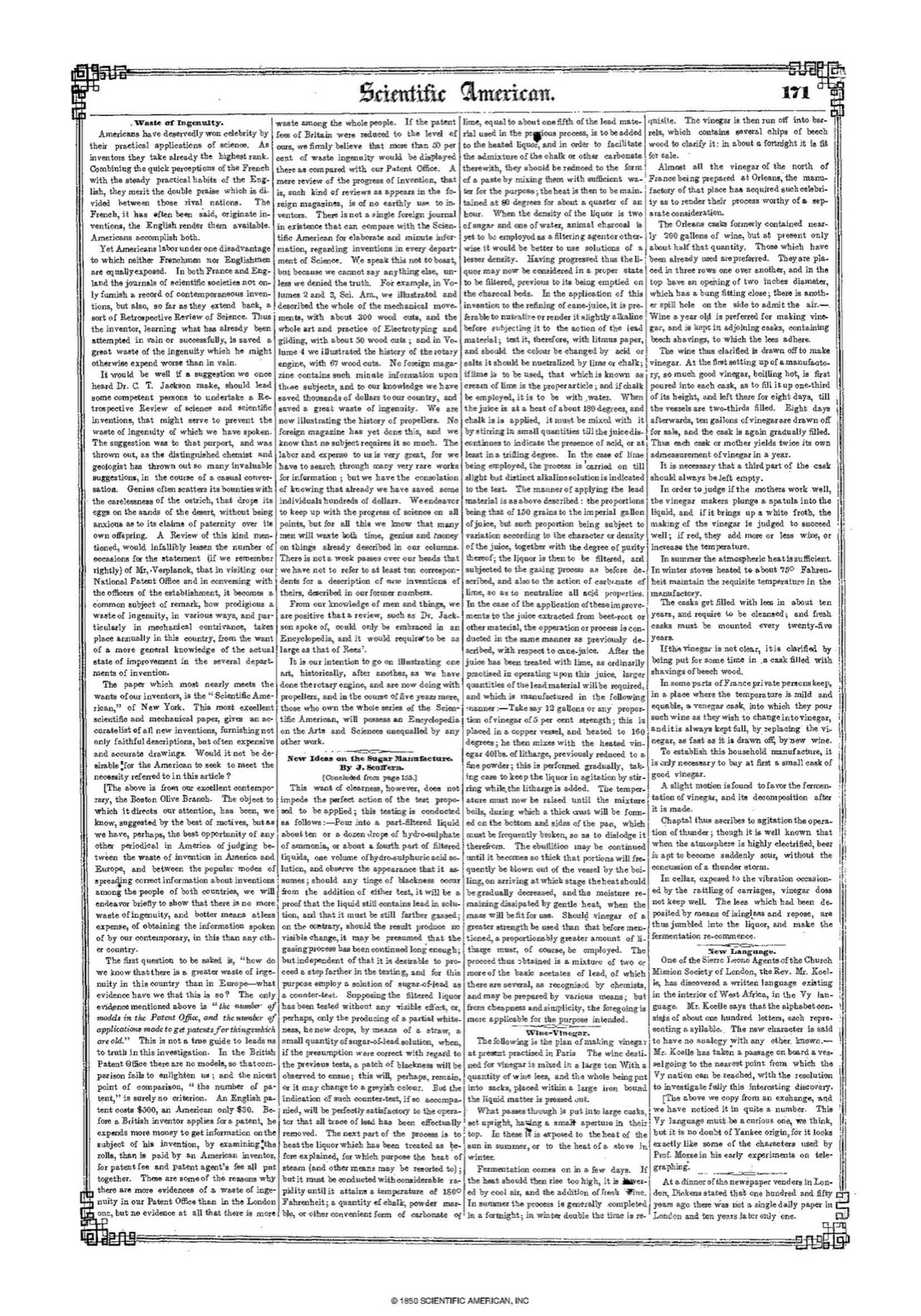
The page and the ground truth
The source was page 171 of Scientific American, Series 1, Volume 5, Issue 22, published in 1850. It is a four-column page set in small type.
We used the Wikimedia Commons scan as served by Wikisource at 1120 by 1600 pixels. The page is public domain. The scan has a “© 1850 Scientific American, Inc.” footer, which we did not treat as part of the transcription.
Our ground truth was the Wikisource transcription of the page. Wikisource marks it level 3, “proofread,” rather than “validated.” We excluded headers and kept printed misspellings as printed. The transcription is by Wikisource contributors and is available under CC BY-SA 4.0.
What we tested
On October 20, 2026, we gave the image to each of these tools:
- Presentr Analyze’s extraction, which uses Anthropic’s Claude Sonnet 4.6 model.
- OpenAI gpt-4o through the API, with image detail set to “high.”
- OpenAI gpt-5 through the API.
- Tesseract 5 with the
tessdata_bestEnglish model. Tesseract is the open-source engine behind many free online OCR sites.
These were API runs, not runs in the ChatGPT app. We ran each tool once. Where a tool accepted an instruction, we used the same one: “Extract all text visible in this image verbatim. Return only the text with no preamble or commentary.”
We measured character error rate: the edit distance between an output and the ground truth, divided by the ground-truth length. Before calculating it, we collapsed whitespace and rejoined words that had been hyphenated across lines.
Results
| Tool | Character error rate |
|---|---|
| Presentr Analyze | 2.9% |
| Tesseract 5 | 18.1% |
| gpt-4o | 61.8%: fluent sentences that are not on the page |
| gpt-5 | Declined: “I can’t extract the text because it’s too small/low‑resolution to read accurately. Please upload a higher-resolution image or a zoomed/cropped section.” |
On this page, Analyze produced a 2.9% character error rate, compared with 18.1% for the tested Tesseract workflow. The tested gpt-4o workflow returned fluent but mostly wrong text. The tested gpt-5 workflow declined to extract the page.
One passage, four outputs
The difference is clearer in one aligned passage.
Ground truth
No foreign magazine contains such minute information upon those subjects, and to our knowledge we have saved thousands of dollars to our country, and saved a great waste of ingenuity. We are now illustrating the history of propellers.
Presentr Analyze
No foreign magazine contains such minute information upon those subjects, and to our knowledge we have saved thousands of dollars to our country, and saved a great waste of ingenuity. We are now illustrating the history of propellers.
Tesseract 5
No fomign maga- ine contains suck minute information upea| thee subject, and to cur knowledge we have: coved thowands of dollaes tocur country, ant feved a real waste of ingenaity. We ave now illostrating the history of propellers.
gpt-4o
The most exquisite minie informations may be obtained in the somlicy known, for the lowed thousand of dollars in our country, and express! the claims of ingenuity.
gpt-5
I can’t extract the text because it’s too small/low‑resolution to read accurately. Please upload a higher-resolution image or a zoomed/cropped section.
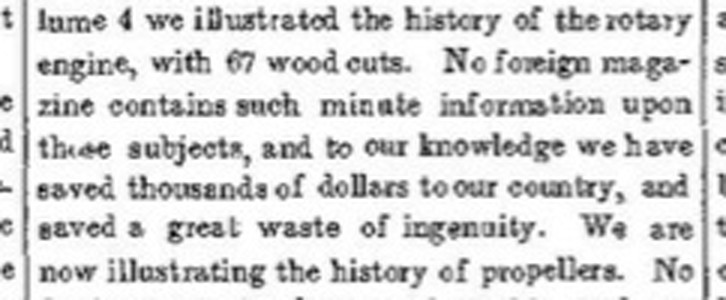
Tesseract’s mistakes are visible: broken words, misspellings, and stray punctuation tell us that the text needs checking. The gpt-4o excerpt reads more smoothly, but it is not the passage on the page. That is the more dangerous failure because it reads as if it were right.
What this page does and does not show
This is one page and one run per tool. The comparison used APIs rather than consumer apps, and its ground truth was proofread but not validated. Different settings, prompts, or newer models may produce different results.
In a small exploratory test of 10 pages covering handwriting, printed Hindi, and multi-column print, the widest gap between Analyze and the other tools was on dense multi-column print. On a cleaner two-column page, Tesseract did slightly better than Analyze (1.6% against 2.0%). That is broader context, not a benchmark.
Handwriting, especially old scripts, remains difficult. Every tool in our test, including ours, still makes serious mistakes on it. Our extraction page tells users to check names and dates.
Run your own page
The best comparison is your own material. Upload a page, PDF or photo to Analyze and put the result next to whatever you use now. You can read it page by page, copy it, or download it as text.
A new account starts with 5 credits: enough for two PDF pages or five images. After that, extraction costs 2 credits per PDF page and 1 per image.
The full outputs from this test are available on request.
More from the blog
Paste an SRT or VTT file to find overlapping cues, lines that read too fast and suspicious gaps. Free, no signup.